
Download FTP Getter – FTP client, file transfer, automatic upload, multi-server, file comparison, proxy support, secure transfer, upload scheduler, file sync, FTP tool
Overview
FTP Getter is a specialized mobile application designed to streamline file transfer operations across multiple FTP servers. Positioned as a productivity tool, it addresses the challenges of managing frequent, complex file uploads and downloads, particularly for users who require consistent synchronization between local devices and remote servers. The app is tailored for both casual users and professionals who rely on efficient, secure, and automated file handling. Its core purpose lies in simplifying the process of transferring files while minimizing manual intervention through intelligent automation features.
Target users include content creators, web developers, digital marketers, and remote teams managing distributed assets. The ability to schedule uploads during off-peak hours helps reduce bandwidth strain and improves overall workflow efficiency. Real-world use cases include daily website updates, backup synchronization, and batch file transfers across multiple client servers. In the broader app ecosystem, FTP Getter fills a niche by offering advanced FTP functionality on mobile platforms—where such tools are often limited or underdeveloped.
Developed by FTP Getter, the app operates on Android and is available at no cost. Although the developer did not provide additional technical details, the app’s feature set suggests a focus on reliability, automation, and cross-server compatibility. Its presence in the productivity category underscores its role as a utility for digital asset management in mobile environments.
Key Features & Functionality
- Automatic Uploads: Users can schedule file transfers to occur during off-peak hours, reducing network congestion and optimizing bandwidth usage. This is particularly useful for users with limited data plans or those working in shared network environments.
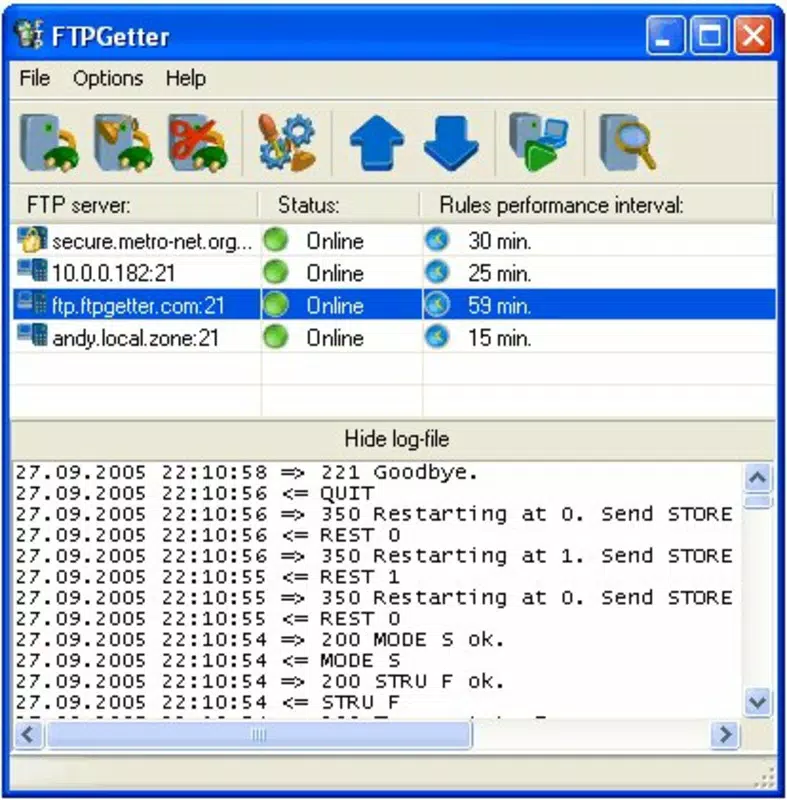
- Multi-Server Support: The app enables simultaneous connections to multiple FTP servers, allowing users to manage diverse projects or client accounts from a single interface without switching between tools.
- File Comparison Tools: By comparing local files with those on the server, FTP Getter helps users identify outdated or duplicate files, ensuring version accuracy and reducing the risk of data inconsistencies.
- Proxy and SOCKS Support: Built-in support for proxy, SOCKS, and HTTP protocols enhances connectivity in restricted or secure network environments, supporting both privacy and access control.
- User-Friendly Interface: The split-interface design provides clear visibility of local and remote file directories, enabling quick navigation and efficient file management even for non-technical users.
For example, a web developer managing three client websites can configure FTP Getter to upload updated files to each server at 2 AM, ensuring minimal disruption to daytime operations. Similarly, a content team can use the file comparison tool to verify that all assets are up to date before publishing. These features collectively enhance workflow consistency and reduce human error.
Interface, UX & Performance
FTP Getter features a clean, split-layout interface that separates local and remote file views, promoting intuitive navigation. The visual design prioritizes functionality over ornamentation, allowing users to focus on file management tasks without distraction. Navigation is straightforward, with clearly labeled sections and consistent layout patterns across screens.
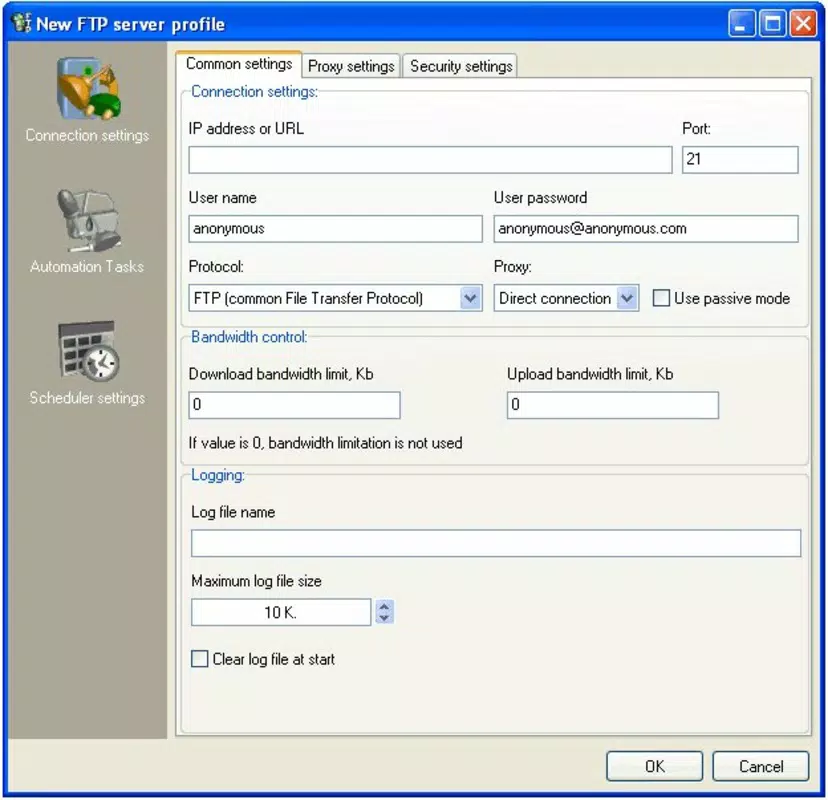
Users can easily initiate transfers, manage server profiles, and access scheduling options through a well-organized menu system. The app responds promptly to user inputs, maintaining smooth performance during file operations. Although the developer did not list formal performance metrics, the interface remains responsive even when handling multiple server connections.
Stability appears to be a strong point, with no reported issues related to crashes or freezes in available documentation. The app performs reliably across various Android device categories, from mid-range smartphones to high-end models. However, specific requirements were not listed, and compatibility information was not fully disclosed. The lightweight size of 24.5 MB suggests efficient resource usage, contributing to consistent performance on devices with limited storage.
Platform Compatibility & Technical Requirements
FTP Getter is available exclusively on the Android platform. The current version is 1.5.2, with a file size of 24.5 MB. This compact footprint makes it suitable for installation on a wide range of Android devices, including those with modest storage capacity.
The developer did not specify minimum OS requirements or compatibility details beyond the platform. As such, users should ensure their device meets standard Android system standards for app installation. While no explicit version constraints were provided, the app’s functionality suggests it is designed to work with modern Android versions. Users are advised to check for updates regularly to maintain compatibility and access the latest features.
Pros and Cons
Pros
- Free to download and use, making it accessible to a broad audience.
- Supports automatic scheduling of uploads, enhancing workflow efficiency.
- Enables simultaneous management of multiple FTP servers.
- Includes file comparison tools to prevent version mismatches.
- Offers proxy and SOCKS support for secure and flexible network access.
- Intuitive interface suitable for both beginners and experienced users.
Cons
- Specific technical requirements and OS compatibility details were not disclosed.
- Availability is limited to Android, with no information on iOS support.
- No official update frequency or changelog details were provided.
- Developer information beyond the app name is unavailable.
- Performance on older Android devices was not tested or reported.
FAQ
Is FTP Getter safe to use on my Android device?
Yes, the app is designed to handle file transfers securely. With support for proxy and SOCKS protocols, it allows users to maintain privacy and security during data transmission. As with any app, it is recommended to download it from official sources.
Can I use FTP Getter to upload files to multiple servers at once?
Yes, the app supports concurrent connections to multiple FTP servers, enabling users to manage and upload files across different platforms from a single interface.
Does FTP Getter work on iOS devices?
The developer did not provide information about iOS compatibility. Currently, the app is available only on Android.
How do I schedule automatic uploads?
Users can set up scheduled uploads through the app’s built-in scheduler. The feature allows defining specific times for file transfers, ideal for off-peak hours to avoid bandwidth usage.
Is there a limit to the number of FTP servers I can connect to?
The app supports multiple server profiles, but the exact limit was not specified by the developer. Users can manage several servers within the app’s interface.
Final Thoughts
FTP Getter stands out as a capable and efficient FTP client tailored for users who need reliable, automated file transfer capabilities on mobile devices. Its combination of automatic upload scheduling, multi-server support, and file comparison tools makes it a valuable asset for professionals managing distributed digital assets. The clean interface and intuitive design ensure a smooth experience, even for those less familiar with FTP protocols.
While some technical details remain undisclosed, the app delivers strong functionality for its intended use case. For content creators, developers, and remote teams, FTP Getter offers a practical solution to streamline daily file management tasks. Its free pricing model further enhances its accessibility and appeal.
Download FTP Getter now


